Press Alt+Shift+R and Syzygy's microphone starts capturing at 16 kHz. Silero VAD makes a speech-or-silence call every 512 samples (32 milliseconds), finished sentences are cut into segments, and the segments go to whatever recognition engines you have configured. When you stop, the text materializes as an ordinary item in your clipboard history. There is no second process in that sentence, and by default not a single byte leaves the machine.
This article takes the pipeline apart stage by stage. Every number below comes from the source code and our architecture decision records (ADRs), not from a marketing page.
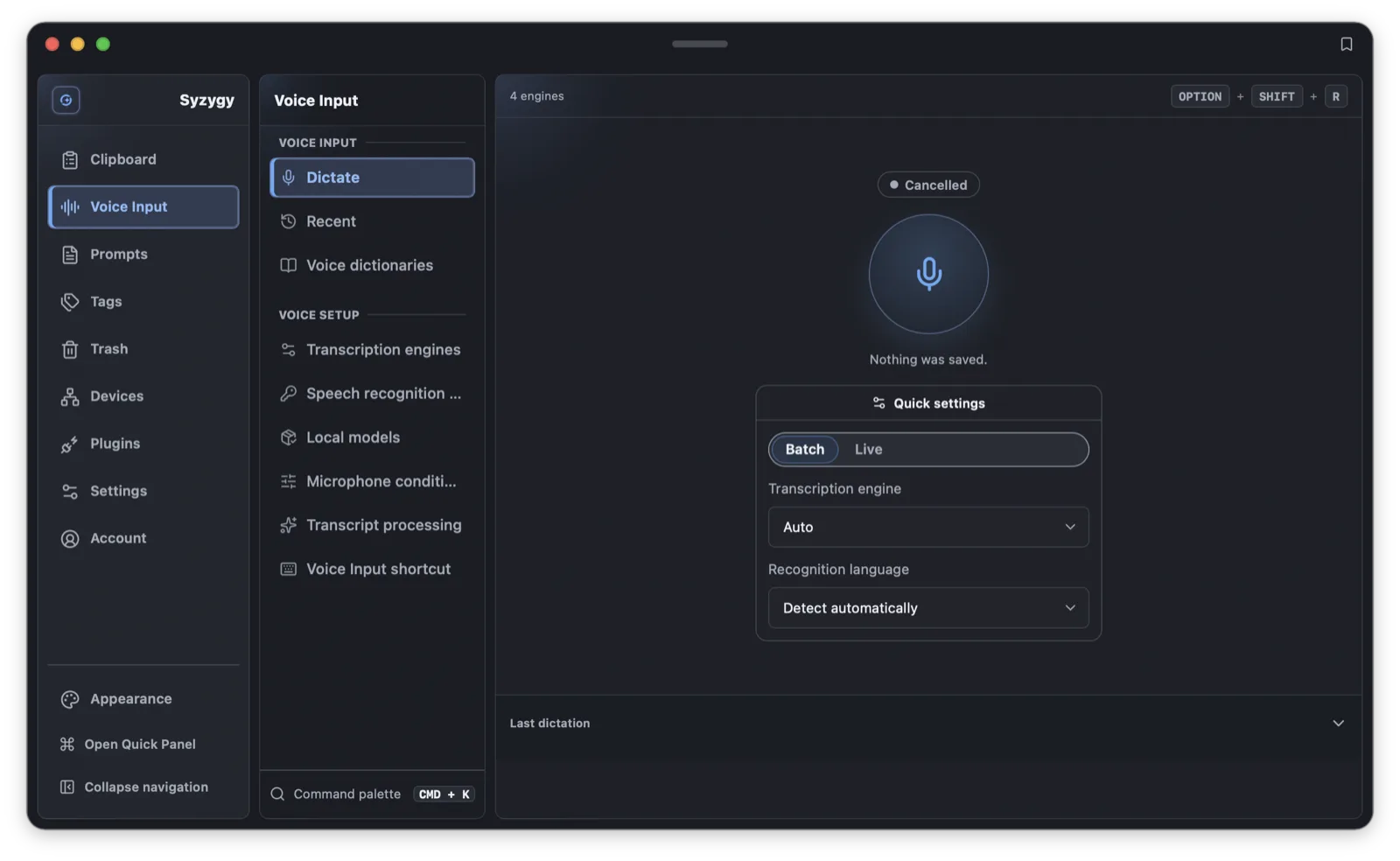
The main window's dictation page and the Quick Panel share the whole chain; the hotkey opens the panel and starts recording in one step by default, and the key itself is remappable.
flowchart TD
  A[Hotkey pressed] --> B[Recording and pre-cleanup]
  B --> C[Silero VAD streaming segmentation]
  C --> D["Segments transcribed in parallel<br/>engines fall back in your order"]
  D --> E{"At least 2 segments and under 300s?"}
  E -- Yes --> F[Full re-transcription]
  E -- No --> G[Keep per-segment stitching]
  F --> H[Deterministic punctuation polish]
  G --> H
  H --> I[Hotword dictionary correction]
  I --> J{AI post-processing on?}
  J -- Yes --> K[Process with your profile]
  J -- No --> L[Materialize as a clipboard entry]
K --> LThe text lands in your clipboard, not in your cursor's old app
The first design sketch assumed a different contract: finish transcribing, restore the previous app's focus, and paste the text there. That road requires cross-platform focus restoration, Accessibility and Windows UIPI and Wayland input workarounds, and it carries the risk of injecting a sentence into the wrong window.
We settled on the clipboard instead. The entire voice-input chain stays inside Syzygy, and a successful run produces a normal clipboard item tagged with its voice provenance, which immediately inherits preview, search, tags, cross-device sync, and pasting through the Quick Panel. When you want the text somewhere else, you paste it yourself. The Quick Panel's choose-and-output sequence belongs to the paste feature; voice input neither reuses nor wraps it, and no equivalent command exists. The prohibition does not distinguish automatic from user-triggered; there is no narrower interpretation where "just one user gesture" makes injection acceptable.
The cost is half a step of extra travel. The benefit is a risk boundary that shrinks from "whatever app is in the foreground" to "our own window", and failed dictations keep a legible failure phase instead of masquerading as an empty item. Raw audio never enters clipboard history, P2P sync, or logs, and the voice provenance marker lets sync scope and deletion semantics for dictated text be defined separately from everything you copied.
Audio gets cleaned before any model sees it
Real microphones misbehave before recognition: DC offset lifts the whole waveform, low gain buries consonants in quantization noise, and the whispered onset of a keypress shreds the first word. Engines answer that raw fingerprint with empty results and wrong characters.
So Syzygy runs a 16-bit PCM conditioning chain between capture and the engine: high-pass filtering, peak normalization toward a target, a maximum-gain ceiling, and silence trimming. Every knob is user-adjustable and the chain can be switched off; disabled, it is a bit-exact identity. Each pass emits a report (peak, gain, trim) that shows up in the run's task details.
The conditioned buffer and the VAD segmenter work on the same buffer.
Segmentation is Silero VAD's job
A long recording must be divided before you press stop, or sixty seconds of speech queues as one unit and blocks the next take. The cut points come from Silero VAD: 16 kHz, a 512-sample window, a 0.5 speech-probability threshold. Silence lasting 0.4 seconds closes a segment; speech shorter than 0.25 seconds is dropped; a segment caps at 5 seconds; and 120 milliseconds of tail are appended so a trailing syllable survives.
The model comes from the unified model catalog (source, version, and SHA-256 locked) and has two escape hatches: if it is not installed, an energy-based detector does the segmenting with the same window and segment-length parameters, and if a single detection call fails, the run reports failure and keeps the recording rather than pretending you went quiet. Loading is lazy and lease-managed so it cannot stall the start of a recording, and pressing stop flushes every open segment, so the half-sentence you were still saying is not lost.
Engines fall back in the order you set
The engine list is yours, and fallback walks it in order. Four kinds of local engines exist: the operating system's own dictation; the full whisper.cpp range, tiny through large-v3-turbo plus quantizations; FunASR Paraformer INT8, the value pick for Chinese; and Qwen3-ASR 0.6B INT8, the third local engine and the first whose decoder is a speech-specific LLM. That decoder's ONNX export shares one fixed budget between the prompt, the audio, and the generated text, so the adapter decodes in budget-sized chunks and joins them: the cost of one decode is independent of how long you talked. With nothing configured, the chain defaults to system speech.
Remote engines are also first-class: an OpenAI-compatible Transcriptions endpoint, a chat-completions audio endpoint, Alibaba Cloud's DashScope native protocol (model qwen-audio-3.0-asr-flash, API-only; pricing and regional availability follow the provider’s current terms), and Tencent Cloud speech accounts. The DashScope model has no downloadable weights.
One switch guards the border: remote_audio_consent, off by default. Local engines and system speech need no authorization; with the switch off, every remote engine is skipped outright. Authorization follows the data's final destination, not the shape of the first hop: an endpoint reading http://127.0.0.1 earns no exemption, because a local gateway can forward the request anywhere. Unauthorized engines are skipped in order while local and system candidates keep trying; pin a specific unauthorized engine and the failure says so. Probes, draft tests, and real recognition all pass the same gate. Language preference is one shared setting: a fixed language is used strictly, while system speech in auto mode tries the system default and your preferred languages in turn.
Failure classification decides where retries go
One segment's recognition carries a three-number budget: 12 attempts in total, 3 per engine, 60 seconds of wall clock. A retry of the same engine and a first try of the next engine share one ledger: a segment never spends more than 12 attempts.
Failure classification decides how those attempts are spent. Failed means transient trouble (a timeout, a transport break, a 5xx), and transient trouble is worth asking again: the retry stays with the same engine, backing off 500 ms and adding 500 ms per step up to a 1.5 s ceiling, interruptible by cancellation. Bailing to the next engine after one bad request punishes engines that were never broken. Unavailable (engine or configuration unusable) and NoSpeechDetected (a deterministic verdict about that audio) drop straight to the next engine; re-asking "was there speech?" just burns budget. The wall-clock budget gates only the start of a new attempt, so a begun attempt always runs to its own verdict and recognition is never cut off mid-flight.
This scheme was later promoted into a system-wide contract: voice recognition, voice post-processing, AI chat, and vision OCR share the same failure classes and backoff constants.
Segments run in parallel; text commits in speaking order
Segmentation pays off in the pipeline. Once a take is split, the previous segment can still be transcribing while you speak the next one; recognition runs concurrently, but results commit in speaking order. The runtime chains commits so a later-closing segment waits for the previous one to apply its result: the sentence you said first appears first even if recognized slower. An early segment's failure does not interrupt the session; it lands on that segment's ledger while you keep talking.
Every segment keeps a full account: a capture report (duration, peak, level in dBFS), a conditioning report, and recognition attempts with durations, successes and failures alike. Completed, failed, and cancelled runs all render the same five phases (capture, conditioning, recognition, post-processing, clipboard) in one shared component in both the result footer and the history panel.
Batch engines have no intermediate text. Live engines stream a preview while you speak, advancing up to eight seconds on a fixed cadence; the closed segment gets a full pass, and the preview is only provisional.
300 seconds: the qualification line for a full re-transcription
Segmentation buys immediacy at the price of cross-segment context: say one thought in five takes and the five fragments are recognized separately, joined blind. So when you stop, the runtime does its homework: it concatenates the session's own segment recordings in speaking order, hands them back to the session's winning engine (the one behind the last successful segment attempt), and runs one full batch pass whose result replaces the concatenated text as post-processing input.
The re-transcription has a qualification line: at least two segments, and at most 300 seconds of total audio. The number exists to match the 10 MB request ceiling of remote recognizers; 300 seconds of 16 kHz mono is roughly that volume. Single-segment sessions skip it (the take already is one complete recording), as do sessions with no winning engine. Retained segment audio lives only as long as the session does; terminal state wipes it.
Re-transcription is an upgrade, never a gate. Engine refusal, concatenation failure, cancellation: any of them falls back to the concatenated text and the session continues.
Punctuation polish is a pure function
Recognizers return punctuation as a side effect: half-width periods inside Chinese, ellipses typed as a run of dots, an orphaned comma left behind by a deleted filler word. None of that needs a model. Seven rules cover the common cases: fullwidth Latin letters and digits written back as ASCII, dot runs collapsed to an ellipsis, repeated marks merged, ASCII marks inside Chinese converted to fullwidth, leading marks dropped, whitespace around marks cleaned, and (off by default) a terminal period appended to Chinese text that ends without one. That last rule is the only one that adds text the recognizer never heard, and appending a period to a dictated search query or file path does harm.
Every rule is a pure function of the text, so the same dictation always polishes to the same result, whether or not an AI step is configured, and each rule's rewrite count lands in the report. Polish also guarantees non-blank in, non-blank out.
1,153 hotwords and the shape of a space
Chinese engines return terms with their own tokenization: open ai, chat gpt, G P T. Exact matching is helpless against those shapes, so the bundled dictionary once compensated with 12 hand-written phrase rewrites. Those rewrites were the evidence of the gap: the other 1,153 canonical-spelling entries did nothing for the same output, and every additional term meant writing another rewrite.
The matching rule now strips whitespace and compares, then maps the hit back to the original. The recognizer returns type script, the rule TypeScript fires; it returns postgre sql, PostgreSQL fires. With boundaries: the span must sit on grapheme and identifier boundaries, so xopen ai and openair are untouched; the whitespace cannot exceed twice the term it interrupts, so an a and a b nine spaces apart are not fused; line breaks end the match. Enabling one entry covers all of its spaced-out variants.
Hotwords also travel a second road: into the recognition request itself. The whisper-compatible prompt field has a 224-character budget; entries are comma-joined, an entry that does not fit is skipped whole (truncating half a word poisons recognition of exactly that word), and a trailing period keeps the model from continuing the prompt into your transcript. Dictionary rewriting runs last, after punctuation polish: a rule you wrote is a decision, and nothing upstream may undo it. Pinyin correction takes a more conservative road of explicit candidates and unambiguous readings, because per-character combinations cannot prove word-level pronunciation.
AI post-processing is optional and supervised
With an AI profile configured, the transcript can take one more pass through a large model. The step has a switch that preserves your configuration when off. Before an AI rewrite is accepted, three mechanical guards run: the rewrite is empty; it is at least twice the dictated length (the model performed, or invented); its character-bigram overlap with the original is below 0.2 (it answered a different question). Any rejection falls back to the dictated text, because losing the user's words is the one outcome that can never be right.
Post-processing also never blocks the next take. The microphone slot is released the moment stop is accepted; AI requests finish in the background, and the next hotkey press starts a fresh dictation. The AI step shares the recognition chain's retry budget and failure classes.
The free tier's 60 seconds
The free tier caps a single continuous recording at 60 seconds. Hitting the cap pauses the microphone without transcribing; continue keeps the same take going, and stop at the end transcribes everything together. The pause is measured in audio samples, not wall clock, so samples delivered between the threshold and the microphone actually closing are kept, and no half word is lost at the boundary. Each fresh microphone opening starts a new count. Live engines are the one exception: they close and transcribe the segment at the limit, because suspending a live connection across a pause of unknown length usually ends in a provider idle timeout and a failed take.
The 60 lives in exactly one place: a feature-catalog entry that code, UI copy, and the subscription page all read. The limit enters the run plan when the take starts, a mid-take upgrade changes nothing, and a plan without a limit has no limit at all.
When something goes wrong
"No speech detected," but you clearly spoke. The usual cause is a language mismatch: system speech decodes with the system locale, and a different spoken language returns a deterministic no-speech verdict instead of an error. Check the language preference; auto mode tries the system default and your preferred languages in order, and a fixed language is used strictly.
The engine takes forever to produce text. Local models download and pass SHA-256 verification before first use, and FunASR and Whisper load before the first decode, so the first recognition pays that cost. Residency leases keep recently used models in memory for a while, so the next recognition starts from RAM.
A long recording came back in many pieces. That is the design: segments cap at 5 seconds, silence of 0.4 seconds closes them, and 120 milliseconds of tail are appended. Duration, peak level, attempts, and timing per segment are visible in the task details, and the text joins in speaking order.
A remote engine keeps failing. First confirm remote_audio_consent is on and the remote account's credentials are valid. After 3 attempts on one engine or 60 seconds of wall clock, the chain degrades to the next engine automatically. Also mind the 300-second re-transcription ceiling: longer sessions skip the full pass and keep the concatenated segments.
Recording stopped itself at 60 seconds. That is the free tier's continuous-recording limit, which pauses rather than fails. Continue resumes the same take, and an upgrade removes the limit on the same screen.
The 1.2.0 development cycle includes the full voice pipeline; available packages are listed on the download page, and development notes are in the 1.2.0 changelog. Hotkeys are remappable, and the defaults live in the keyboard shortcuts cheat sheet. First-install permission setup is covered by the install and first-run guide.
Frequently asked questions
Does Syzygy upload my recordings to the cloud by default?
No. System speech and installed local models (Whisper, FunASR Paraformer, Qwen3-ASR) run entirely on your machine. Every remote engine sits behind the remote_audio_consent switch, which is off by default; while it is off, audio cannot leave the device.
Which local speech engines are supported?
System dictation, the full whisper.cpp range (tiny through large-v3-turbo plus quantizations), FunASR Paraformer INT8, and Qwen3-ASR 0.6B INT8 decoded through sherpa-onnx. Remote options include OpenAI-compatible transcription endpoints, chat-completions audio endpoints, Alibaba DashScope, and Tencent Cloud speech, tried in the order you configure.
What is the free tier limitation for voice input?
A single continuous recording tops out at 60 seconds. The microphone pauses instead of transcribing; press continue to keep talking, and the whole take is transcribed together when you stop. The limit is measured in audio samples, so no syllables are lost at the boundary.