Pasting something you copied three days ago, the default route looks like this: switch to your clipboard tool, scroll for the item, open it to check the content, copy, and switch back to whatever you were writing. Four of those five steps are window switches, each one an interruption. Multiply by a few dozen pastes a day and the switching cost becomes the workflow. Syzygy's guide calls the product a "workbench-grade" clipboard, and one of its core interaction decisions follows from that: retrieving text is a high-frequency action, and it deserves its own layer of entry points instead of a full app window every time.
The entry points are three, and they divide cleanly. The quick panel covers the screen's lower half over whatever you are doing. Preview shows an item at full size before you commit to pasting. Popups keep reference material pinned to the front of the screen. The command palette turns "go to a page, do a thing" into one keystroke. This post walks through each one, with an honest note about when it is and is not the fastest option.
The quick panel: a half-screen front desk for the clipboard
On macOS, Option + Shift + V slides in a half-screen panel; the app you were using stays where it was, with clipboard history laid out inside the panel. Arrow keys move between items, Enter pastes the selection straight into whatever you were typing, Shift + Enter confirms through the alternate path, and Shift + Space expands the item's details. Opacity, glass blur, and whether the panel follows the cursor's screen are all configurable.
A full-screen switch drops the context of the app you were in, and you pay again to find your way back. A half panel covers part of the screen and leaves the document or conversation visible, so your eyes never leave the work. That is the physical basis of the "don't interrupt" design: the panel occupies space you were already looking at, for seconds at a time.
A few details make it work at paste frequency. Hidden panels are not destroyed. The default retention is 5 minutes, so repeated summoning keeps the state. Long histories skip: Shift + Down/Up jumps 5 items at a time. Cmd/Ctrl + F puts the cursor in search directly, which beats scrolling once the history has any depth. The panel's top edge also switches into voice, prompts, and other pages. It is the core of the main window, compressed into half a screen.
The same shape works on mobile. Chatting, writing email, filling a form: summon the half-screen panel and pick from history without bouncing between the input method and the app. Mobile clipboard management is a system-level gap, and the half panel is the direct answer. It is the same interaction language on both phone and desktop.
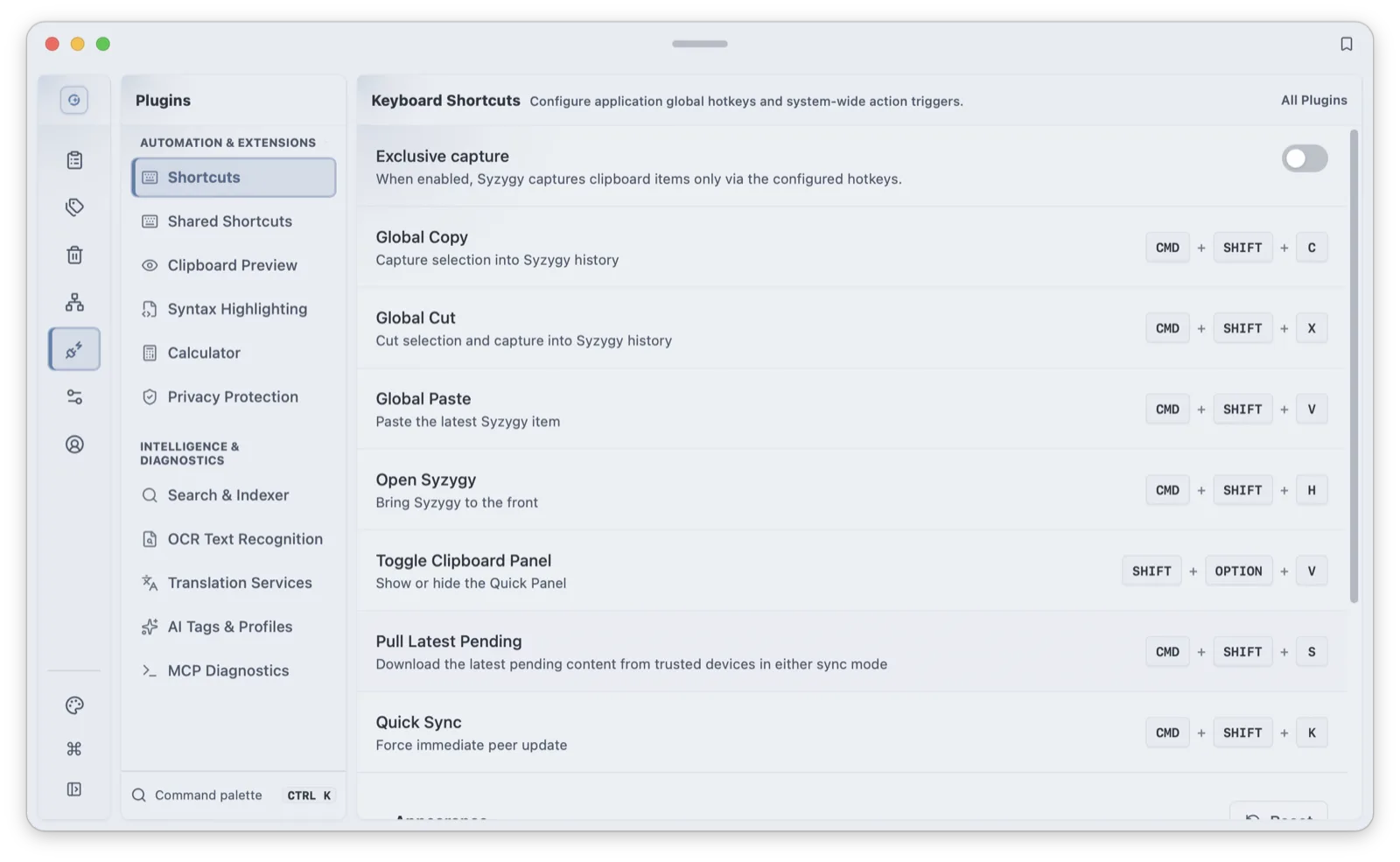
There is also a direct-jump key: Alt + Shift + U opens the panel already focused on a chosen page, the AI page by default, and the target is rebindable in the hotkey config. If your next action after copying is reliably "ask the AI" or "translate", it folds two keystrokes into one. All hotkeys live on the shortcuts settings page.
Preview: look before you paste
With an item selected in the quick panel, Shift + Right opens the full-surface preview; Esc leaves it. The point of preview is the confirmation before pasting: whether a screenshot is complete, whether a code block survived the copy, whether that PDF is the one you meant. Pasting the wrong thing costs a delete and a re-search; preview costs a glance.
Preview coverage runs by content type. Text and code get syntax highlighting. Markdown renders directly. Local and web images display inline with built-in OCR. Cmd/Ctrl + O reads the text out of the image on the spot. SVG code and Figma nodes render into visible images; "copy as image" outputs the rendered graphic to a chat app, while a regular paste (or switching to source mode) outputs the original SVG code. Entries carrying multiple files flip between them with Cmd/Ctrl + Down/Up.
File preview extends to documents and archives: .xlsx, .docx, .pptx, and .zip all support quick inspection. One default worth flagging honestly: text, code, Markdown, SVG, HTML, PDF, and image previews work out of the box, while Office documents and archive previews ship disabled in the default config and need to be switched on in the clipboard preview section of Settings. A single file preview caps at 26 MB; anything larger belongs in the main window.
Large files get one more pre-arrangement: files over 5 MB arrive on other devices as metadata first, with the body pulled on demand. Preview is therefore also the decision point. You see the size, the source, and the timestamp before committing to a full transfer, which matters on a metered connection.
Preview also anchors a processing chain. After confirming, translation (Cmd/Ctrl + T), OCR (Cmd/Ctrl + O), and the edit view (Cmd/Ctrl + E) all sit on the same path, with Cmd/Ctrl + N creating a new item. Reading a table out of a screenshot and then pasting the text, or translating a paragraph before using it, happens inside one flow instead of a detour through another tool. The roadmap describes this as the start of the clipboard acting as a personal AI input bus: copy, then understand, then act on intent.
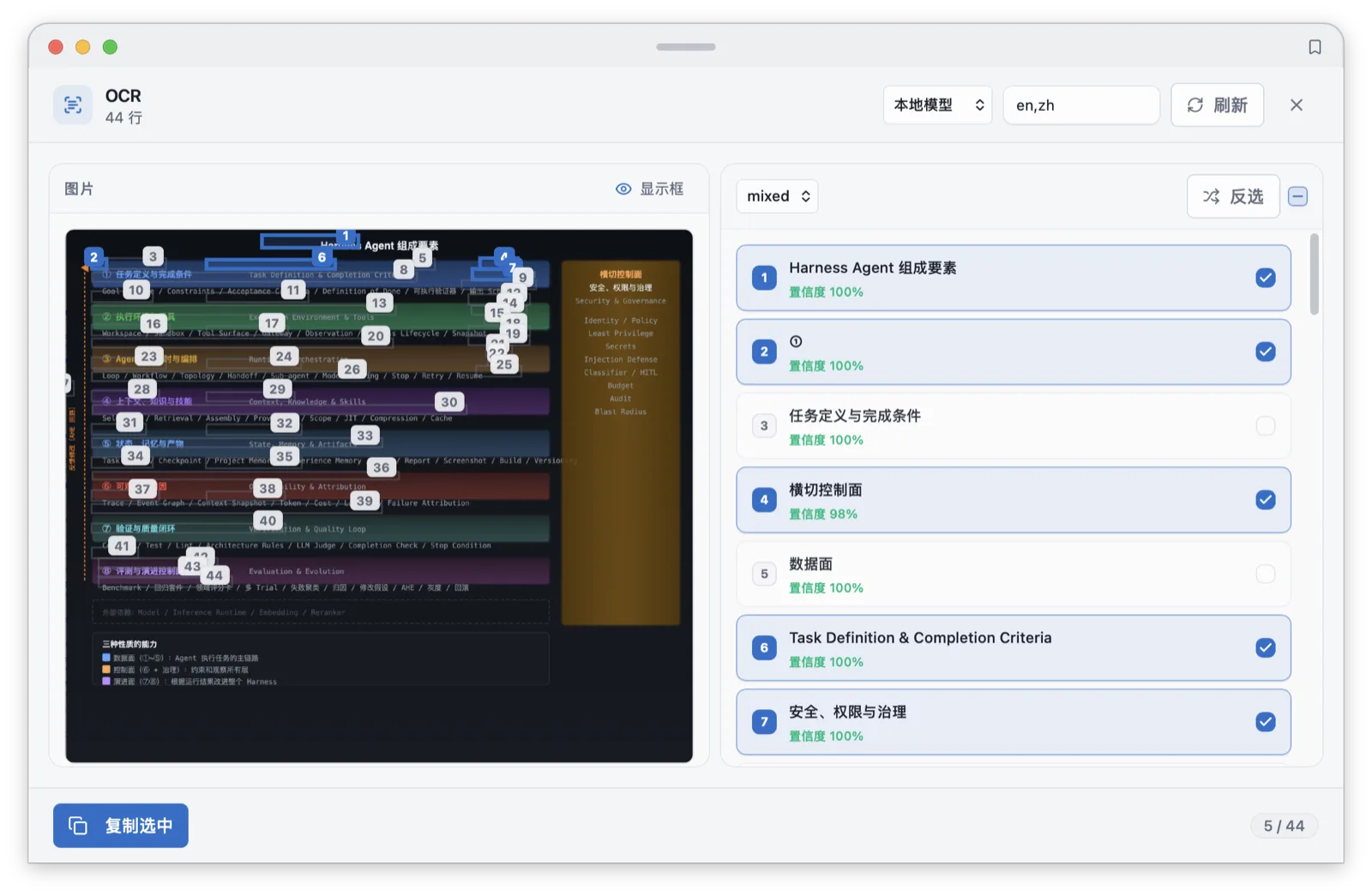
The honest cost: preview takes full-screen attention. Entering it interrupts the work for a moment, and Esc brings you back. Its territory is the last-second check before pasting, a few seconds per use. If you find yourself lingering in preview, comparing several items, the faster move is back to the main window's three-pane layout, or popping the confirmed content into a popup and returning to work.
Popups: pinning a snippet to the front of the screen
Preview is momentary; a popup is persistent. A button in the info bar at the bottom of the preview column pops the item out into an independent floating window with its own opacity, always-on-top, resize, and close controls. Opacity comes in two layers. The window and its content each run from 1 to 100 percent.
The canonical scenario is writing against a reference: a config you are copying line by line, a design comp, an order with details in it. Pop it out, keep it on top, dial it semi-transparent, and park it in a corner; the writing window stays full-screen and the reference is a glance away, with the window switches removed entirely. Turned down far enough, a popup can sit on top of the editor, showing only what matters. Think picture-in-picture for clipboard items.
A second scenario is cross-window assembly. To merge two pieces from window A into window B, the default route switches twice; popping both out means window B pulls from both references without any switching. A popup is a temporary desktop position for a clipboard item, the complement of Pinlist, which is a list position.
The free tier allows 3 visible popups. Three covers the "one snippet plus one screenshot" shape of most work, but if your workflow wants more permanent reference surfaces, you will feel the limit. Popups are not storage either: they live with the current task and should be closed with it. Anything worth keeping belongs in favorites or tags, which is the organization layer's job.
The command palette: pages and actions in one step
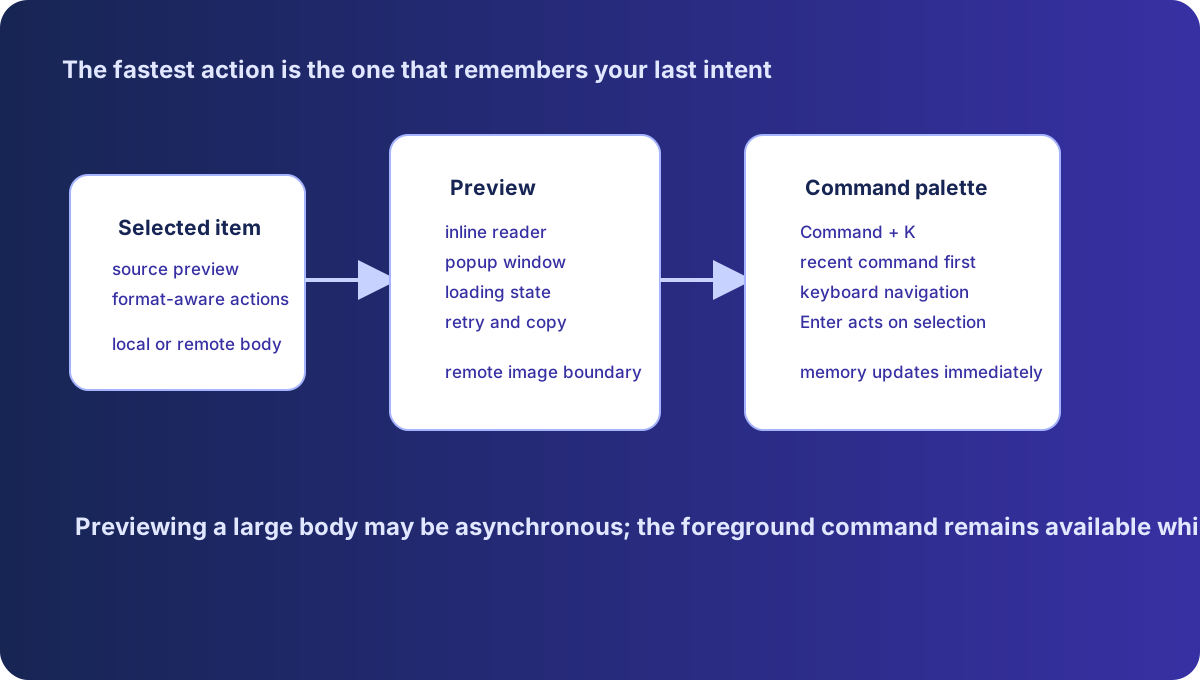
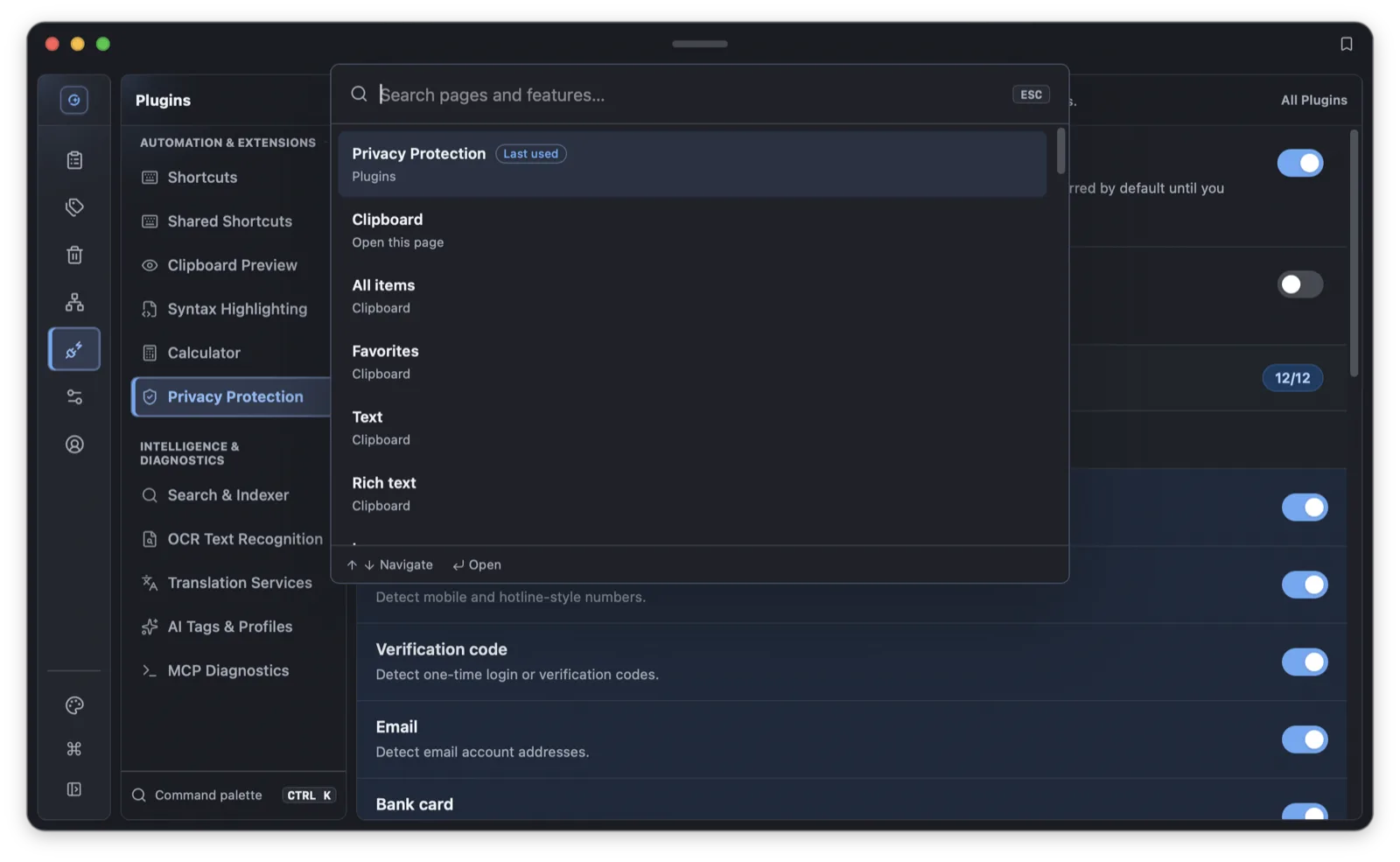
Command + K (Ctrl + K on Windows and Linux) opens the command palette. Its scope is the whole application: all 12 app pages (clipboard, voice, prompts, skills, memory, tags, trash, devices, plugins, settings, account, AI) are reachable directly, along with the sections under them, so deep targets like voice dictation, voice recent runs, device pairing, and sync settings have their own entries.
Beyond pages, there are action commands: open the AI chat, open the clipboard, open prompts, open voice dictation, jump to voice recent runs, open voice settings, toggle dictation on or off, enter device pairing, open sync settings, jump to the shortcuts page, open the account page. Search matches Chinese and English keywords. "语音" and "voice" hit the same set, and "配对" and "pair" both land on devices. The last-used command floats to the top as a "recent" entry, so repeating the same thing costs two keystrokes. The list navigates with the arrow keys and runs with Enter.
Where it fits against preview and popups, honestly: the palette is for the moments you know where you are going: a named page or action, delivered in the fewest keystrokes. It is the wrong tool for the moments you do not know what you are looking for, which is what preview and filters are for. Heavy mouse users may legitimately prefer the sidebar and context menus; the palette's cost is learning a few keywords. Pay it, and navigation, dictation toggles, and page jumps all happen without the hands leaving the home rows.
The learning curve has a soft landing: the aliases are guessable. English and Chinese both match, colloquial terms like "chat", "听写", and "pair" resolve, and phrases like "last" and "上次使用" reach the recent command. Used as a search box first, the palette teaches itself. It is a standard list interaction (arrows to move, Enter to confirm) with the active entry exposed to screen readers.
sequenceDiagram
  participant U as User
  participant P as Command palette
  participant F as Foreground action
  participant D as Background download
  participant S as Shared state
  U->>P: Search and press Enter
  P->>F: Submit the selected entry
  F->>S: Check whether content is ready
  S-->>F: Copyable, or download required
  F-->>U: Execute, or explain the precondition
  D->>S: Update received bytes and rate
S-->>P: Refresh the waiting stateHow this connects to tags and Trash
The entry points are not isolated; they interlock with the organization layer.
The fastest deletion lives in the quick panel: select an item, press Delete, and it lands in Trash, restorable for 7 days. Two-stage deletion at one keystroke makes history cleanup cheap and keeps the undo path close.
The palette is the shortcut to the organization pages: "tags" goes to the Tags tab, "trash" to the Trash page. Backfilling tags or hunting yesterday's accidental delete both start from one Cmd/Ctrl + K instead of a trip to the main window. Restore and permanent delete are keyboard-bound inside Trash, so the whole detour is mouse-free.
Preview connects to processing: confirm an item, then translate, OCR, or edit it in place, all on the preview path. The shortcuts page itself has a palette entry (Cmd/Ctrl + K, search "shortcut"), and hotkey changes take effect immediately.
A one-minute chooser
The three entry points, compressed into a table:
| Scenario | Fastest entry | Why |
|---|---|---|
| Paste history content while chatting or writing | Quick panel (Option+Shift+V) | Half-screen, no window switch; arrows plus Enter |
| Confirm a screenshot, document, or snippet before pasting | Preview (Shift+Right) | Full-surface inspection; OCR and translation in place |
| Keep checking one piece of content while writing or filling forms | Popup | On top, adjustable opacity, reference always visible |
| Jump to a page or flip a feature on | Command palette (Cmd/Ctrl+K) | Pages, sections, and actions in one step |
| Clean up or organize history | Panel Delete, palette to Trash | One-keystroke delete, 7-day Trash behind it |
The principle behind the entry points
Syzygy's entry-point rule is consistent: the action happens where the content is. Content sits in the quick panel, so delete, translate, OCR, and preview happen there. Content that needs to stay visible graduates to a popup. When the target is a page or a switch, the palette reaches it in one step. The main window handles full browsing and organization, and its detail pane is the standing preview position, with the popup button at the bottom of that column. Nothing else requires a trip back to the main window.
Over a working day the pieces chain up: Alt + Shift + U into the AI page to process the morning's links; Option + Shift + V mid-document to paste the config snippet, Shift + Right to confirm the version number; the design comp popped out while writing styles; Cmd/Ctrl + K to the Tags tab to tag the batch when it is done. The main window gets opened once.
Configure the entry points around your own frequency: set the Alt + Shift + U target to your most-visited page, assign the pinned-paste number keys to this week's recurring content, and try a few aliases in the palette until the phrasing sticks. An hour of configuration buys back dozens of window switches a day. The full shortcut list is in the keyboard cheatsheet, the voice entry points are in the dictation post, and the organization layer is in the tags and Trash post.
Frequently asked questions
What is the shortcut for the Syzygy command palette?
Command + K on macOS, Ctrl + K on Windows and Linux. The palette reaches every app page and section plus a set of action commands, matches Chinese and English keywords, and floats your last-used command to the top.
How do I open the full preview of a clipboard item?
Select an item in the quick panel and press Shift + Right to enter the full-surface preview; Esc exits. Images, documents, code, and rendered SVGs can all be inspected, and files over 5 MB arrive as metadata first so you can decide before pulling the full content.
How many popup windows can I have open?
The free tier shows up to 3 popups at once. Each supports independent opacity, always-on-top, resizing, and closing — built for pinning a code snippet or a screenshot in front of everything else.