Three days ago you copied a deployment config, an order number, and a reply template. The system clipboard remembers exactly one of them. Digging the others out of chat logs and download folders is keyword recall plus luck. Syzygy keeps all of them in local history: the free tier holds 100 items for up to 30 days. These numbers live in the app's default config (the history block of app-defaults.json) and are visible in the clipboard section of Settings after install.
What does 100 items mean? At a few dozen copies a day, it is a window of a day or two. So the real question is: once something is stored, can you actually find it three days later? The product roadmap describes today's default workflow bluntly: information gets hauled between apps, devices, and silos, and most of that time goes into finding things and moving things. A clipboard tool fixes the moving; this article is about the finding, which is the organization layer.
Syzygy's answer has four parts. Search locates things directly (indexing and qualifiers are covered in the search and OCR post). Tags group related content. Pins put high-frequency items at the physically closest position. Trash makes deletion reversible. Deletion itself is two-stage: items spend 7 days in Trash before they are purged.
The free-tier budget is worth laying out up front, since each section below comes back to one of these numbers:
| Item | Free tier limit |
|---|---|
| History items / age | 100 / 30 days |
| Trash items / age | 100 / 7 days |
| Pins (Pinlist) | 5 slots |
| Favorites | 10 items |
| Tags | 15 (up to 15 per item) |
| Tags per AI run | 8 |
The roadmap places unlimited history in the Pro tier; the free-tier numbers shown in Settings are the source of truth for the installed app, and the figures here reflect the 1.1.0+ defaults.
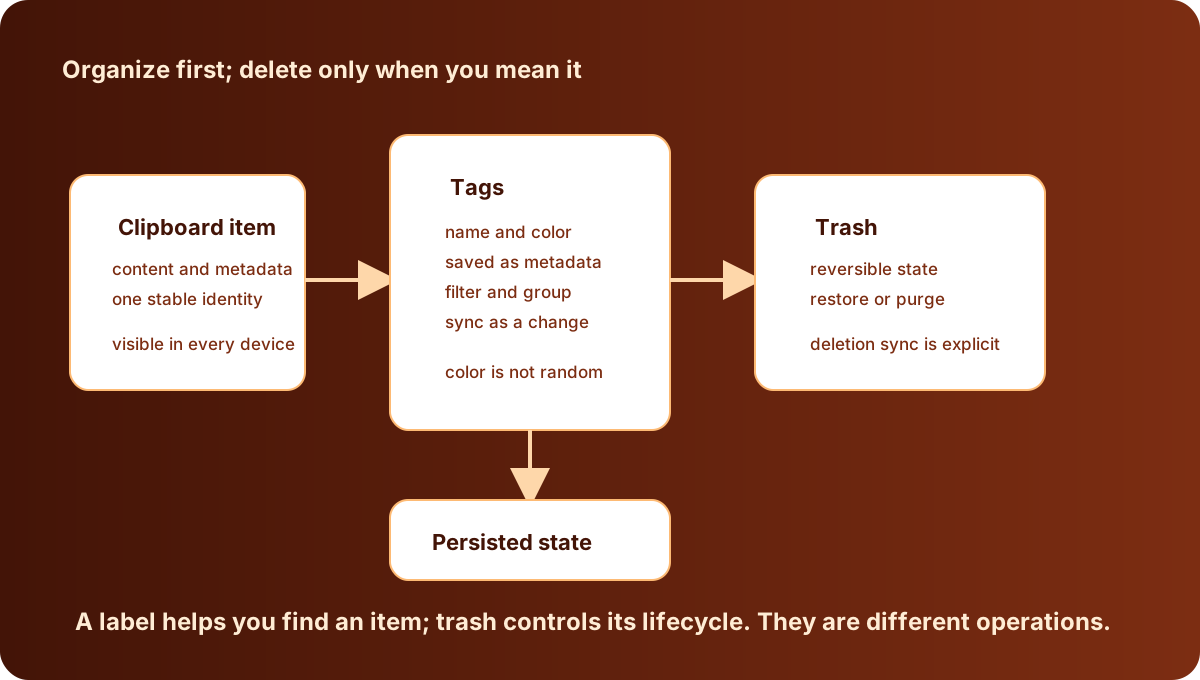
Tags are a vocabulary, and deleting an item does not delete a word
The Tags tab owns the full lifecycle: create, rename, delete, plus a dedicated stats view showing how many items currently carry each tag. Each tag also carries an optional color, stored on the tag record itself. Renaming or recoloring a tag never touches its item links. The free tier allows 15 tags, 15 per item.
Under the hood, tags and items are two separate tables: a tag registry and a link table between items and tags. A September 2026 commit (33c6e345f) pinned down the semantics between them: removing an item from a tag leaves the tag itself intact. The code comment is explicit: the tag registry is the user's vocabulary, not clipboard data, and only deleting the tag in the Tags tab removes it from the registry. In the other direction, permanently deleting a clipboard item removes its tag links in the same transaction, so the stats view counts real items.
The same commit fixed a long-standing data issue. Until then, deleted and pruned items left their links behind. Nothing declared a foreign key between the tables, so the links were invisible on their own but inflated a tag's item count and skewed the weights the auto-tagger uses for suggestions. A migration dropped the unreachable links; counts and suggestion weights are now computed over items that exist.
When is a manual tag worth the click? The test is reuse. Content you will touch again earns a tag: code snippets, book excerpts, reply templates, a project's recurring links, account notes. One-shot content (an OTP, a message you just sent) does not. The stats view doubles as the audit tool: a tag that has been sitting at zero items carries no information for you. Delete it before the vocabulary turns into a junk drawer.
Naming has one workable rule: name tags after where you will look for them, not after what they contain. "Client proposal" and "weekly meeting material" are still recognizable in three months; type names like "text" and "image" duplicate the type filters and carry no information. Vocabulary grows with use. Start with three to five tags and add a category when a kind of content keeps showing up, rather than designing a perfect taxonomy on day one.
sequenceDiagram
  participant U as User
  participant V as Tags page or preview column
  participant R as Tag record
  participant E as Update event
  participant C as Entry cards
  U->>V: Pick a new color
  V->>R: Submit tag id and color
  R-->>V: Return the normalized final record
  R->>E: Publish "tag updated"
  E->>C: Refresh linked entries
E->>V: Refresh other tag viewsAI tagging: saving willpower, spending tokens
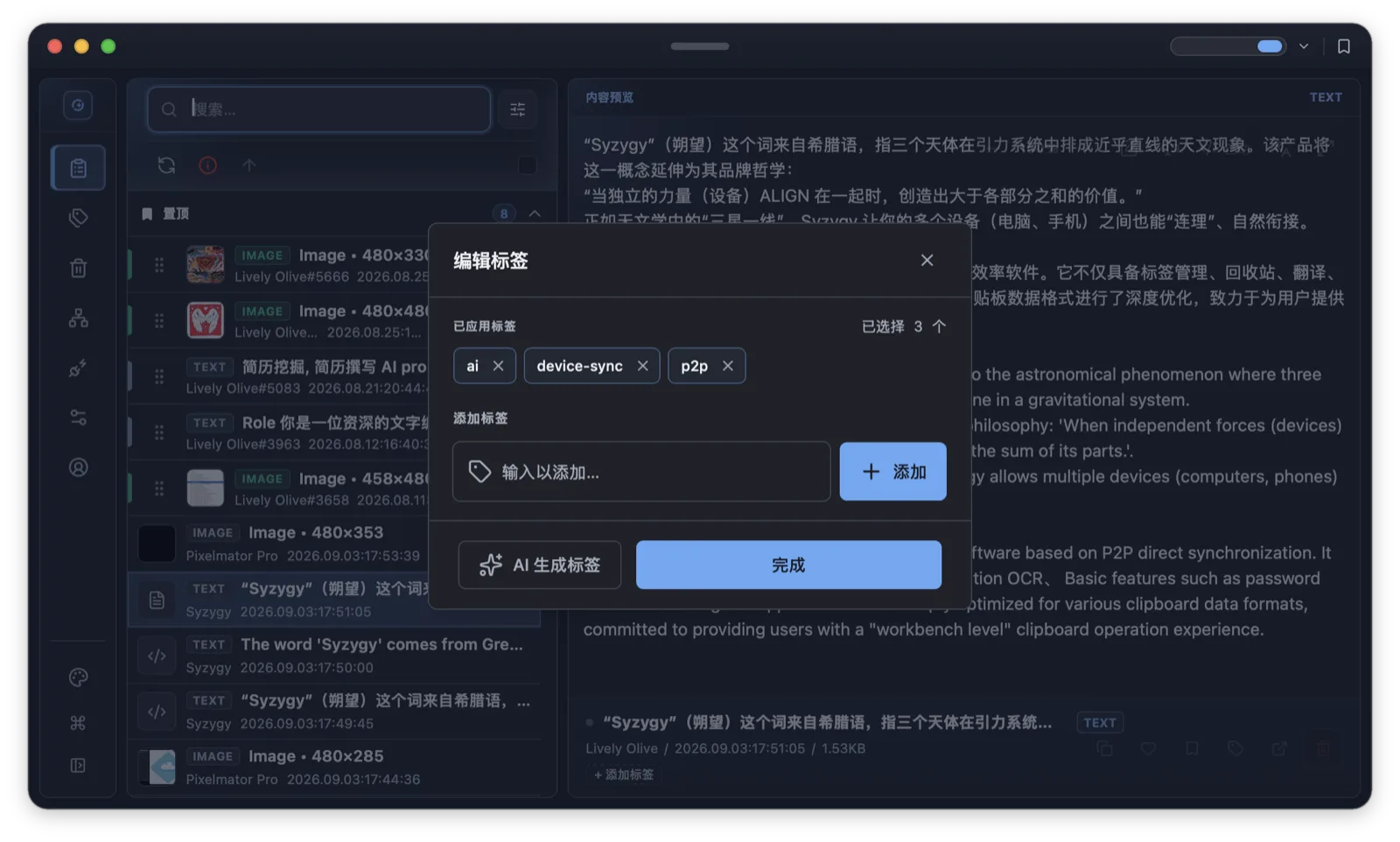
AI auto-tagging ships off (auto_tag_enabled is false in the defaults). Turning it on requires bring-your-own keys: the built-in OCR model works out of the box, while AI translation and AI tagging open an interface for your own service accounts. Results merge into the same vocabulary as manual tags, with up to 8 tags per item.
Why off by default? The official guide is blunt: AI tagging consumes a considerable number of tokens, and manual management is the recommended approach at this stage. That matches the human-in-the-loop path in the roadmap: AI suggests, the user confirms, the system executes, the user corrects, the system learns. Full automation sits behind the confirmation stage: the AI's judgment gets audited before the system acts on its own.
An honest assessment of who benefits. If your daily clipboard volume is in the hundreds with mixed content (web pages, text OCR'd out of screenshots, code), the classification time saved covers the token cost, and what auto-tagging really removes is the willpower tax of pausing to categorize while copying. If you copy a dozen fixed items a day, manual tagging is cheaper and more predictable. The feature is positioned to do the step you would not bother doing yourself, not to design your taxonomy.
One interface detail matters: the free-tier vocabulary caps at 15 tags while a single AI run can produce up to 8. Letting the model freestyle fills the registry in a couple of items. The sturdier setup treats AI as a backstop: keep a core set of human-confirmed tags and let AI output lean on them, with you gating how often genuinely new tags appear.
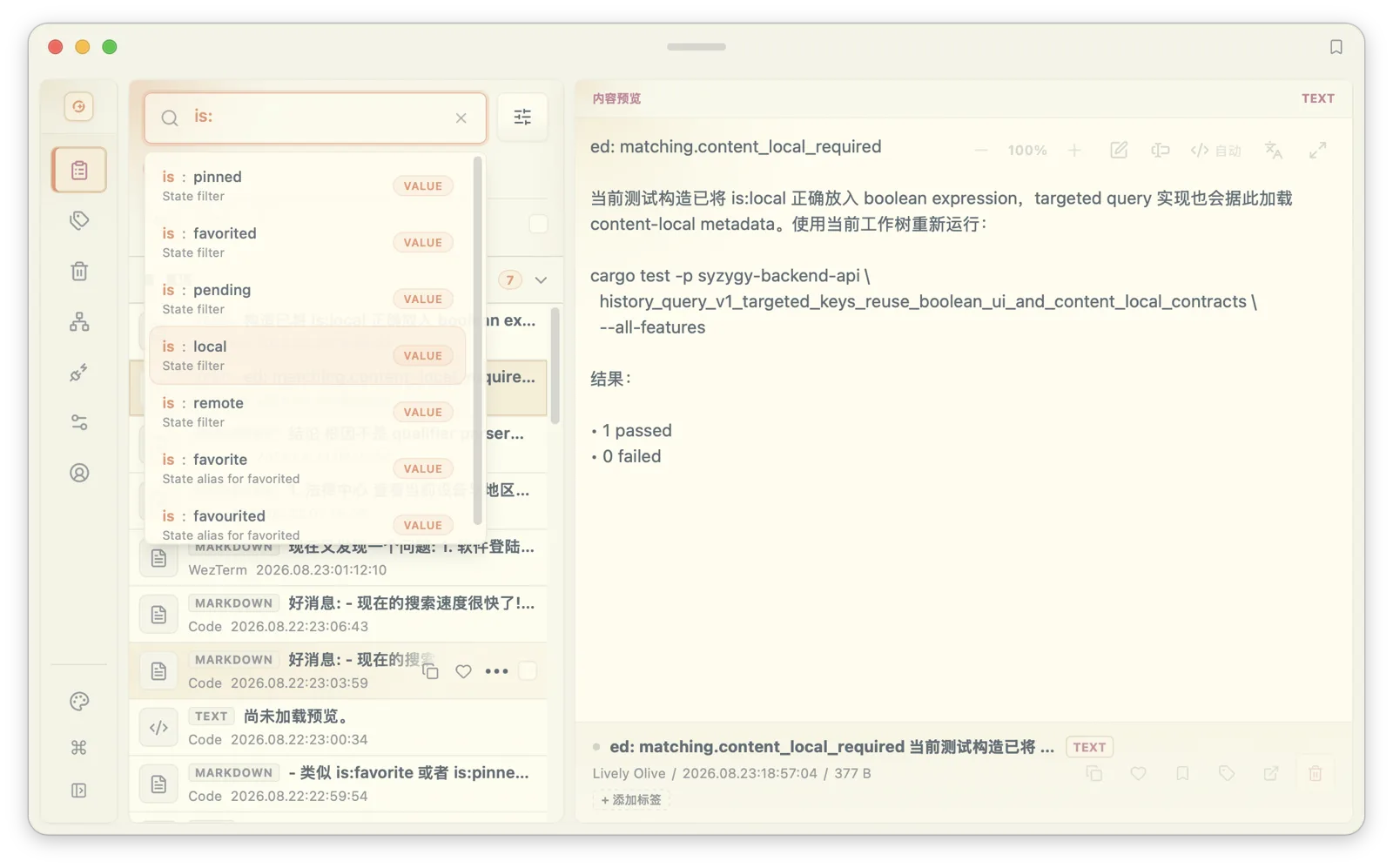
Tagged content also pays off downstream: search accepts tag qualifiers, combinable with date, type, and source-app filters, which turns "that PDF tagged client-proposal from last week" into a query instead of a memory exercise.
Pins are positions, favorites are archives
Syzygy has three ways to keep something, and they answer different questions.
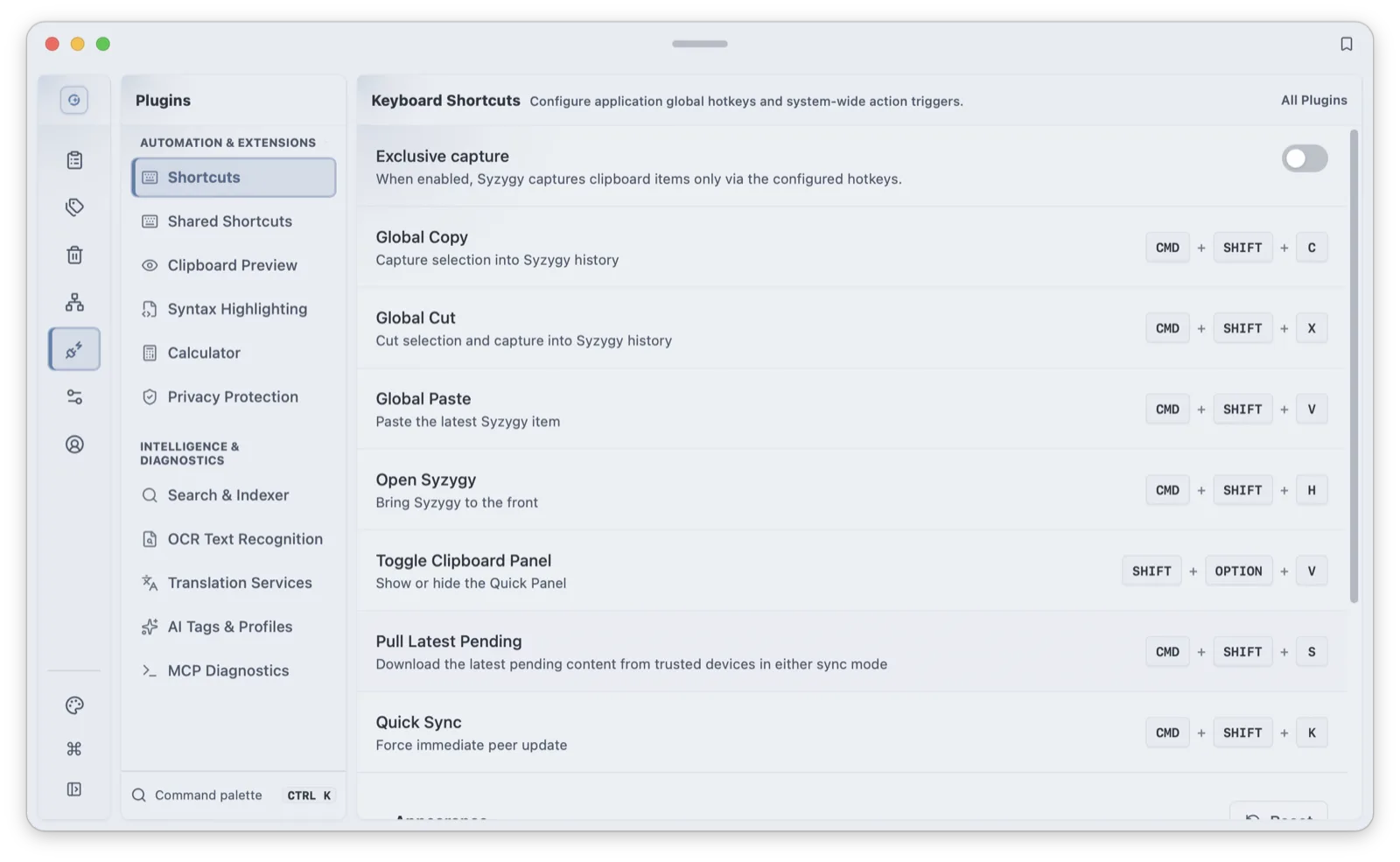
Pinlist answers "what am I using this week". The pin icon fixes an item to the top of the clipboard page and inside the quick panel; pins support drag reordering, and the free tier provides 5 slots. On macOS, Ctrl + Option + number (0-9) pastes the item at that position directly. Slot 0 beats any search, one keystroke from intent to paste. Pins fit the current project's links, recurring replies, meeting material.
Favorites answer "what do I keep long-term". The heart icon archives an item permanently to the favorites list, 10 items on the free tier. History scrolls at 100 and ages out at 30 days; favorites sit outside that cleanup. The clipboard page can filter down to favorites only, which keeps the list short by construction.
Tags answer "what will I look for later". Pins crowd each other past 5 slots, favorites grows linearly, and tags cut across both by topic: one "project A" tag can string together text, links, screenshots, and files.
The three layers differ in timescale: pins are this week, favorites are long-term, tags are the by-topic retrieval layer in between. Where content goes after unpinning depends on when you expect to use it again. A working loop looks like this: pin the three things today depends on; during the day, either tag new material with the project tag or let it ride in history; on Friday, skim the stats view, promote what you kept pasting into favorites or templates, and let the rest age out. Order in a clipboard comes from that loop, not from a periodic grand cleanup.
Trash keeps 7 days: deletion is two-stage
Deleting an item from history sends it to Trash first. The Trash page splits into clipboard, images, and files columns; items can be restored individually or in bulk, and both restore and permanent delete have keyboard bindings on the page. Permanent delete asks for confirmation. A background prune loop runs every 5 minutes; Trash holds up to 100 items for 7 days (604800 seconds) before automatic purge.
The reason for the two stages is the most common clipboard mistake there is: you copy the new version, delete the old one, and discover an hour later that the old one was the one you needed. The system clipboard offers no remedy for that; a 7-day window makes it reversible. It is also why the free tier gives Trash as many slots (100) as history: a deleted item still holds one copy of the insurance for a week.
Trash has a second, less obvious use: a low-confidence staging area. Content that might matter in three months but does not deserve a slot in your tag vocabulary can be deleted into Trash, with the 7-day window acting as a cooling-off period. Restore it if the feeling holds. The hard limit cuts both ways: past 7 days there is no recovery path at all.
A complete recovery path
Stringing the tools together, finding that config from three days ago looks like this: recall a keyword and search; if no keyword surfaces, narrow by type and date. The clipboard page splits items into all, text, rich text, images, files, favorites, and pinned views, and paging through a small view beats paging through all of history. If you remember where the content came from, the qualifier pools also include source apps and devices, so origin works as a filter. Spot the item, glance at its tags, and the tags usually carry the rest of the batch out with it. If the hit is a 5MB-plus file, what arrives first is metadata (size, source, timestamp), and the full body pulls on demand; the metadata view is the decision point before committing to a large transfer over a metered network.
Recovery is step one; reuse usually needs one more step of processing. Plain text lands in the workbench with word counts, whitespace stripping, Base64 encode/decode, and JSON formatting; code gets syntax highlighting; Markdown renders directly; content that needs surgery enters the edit view with search, batch replace, and duplicate-line removal.
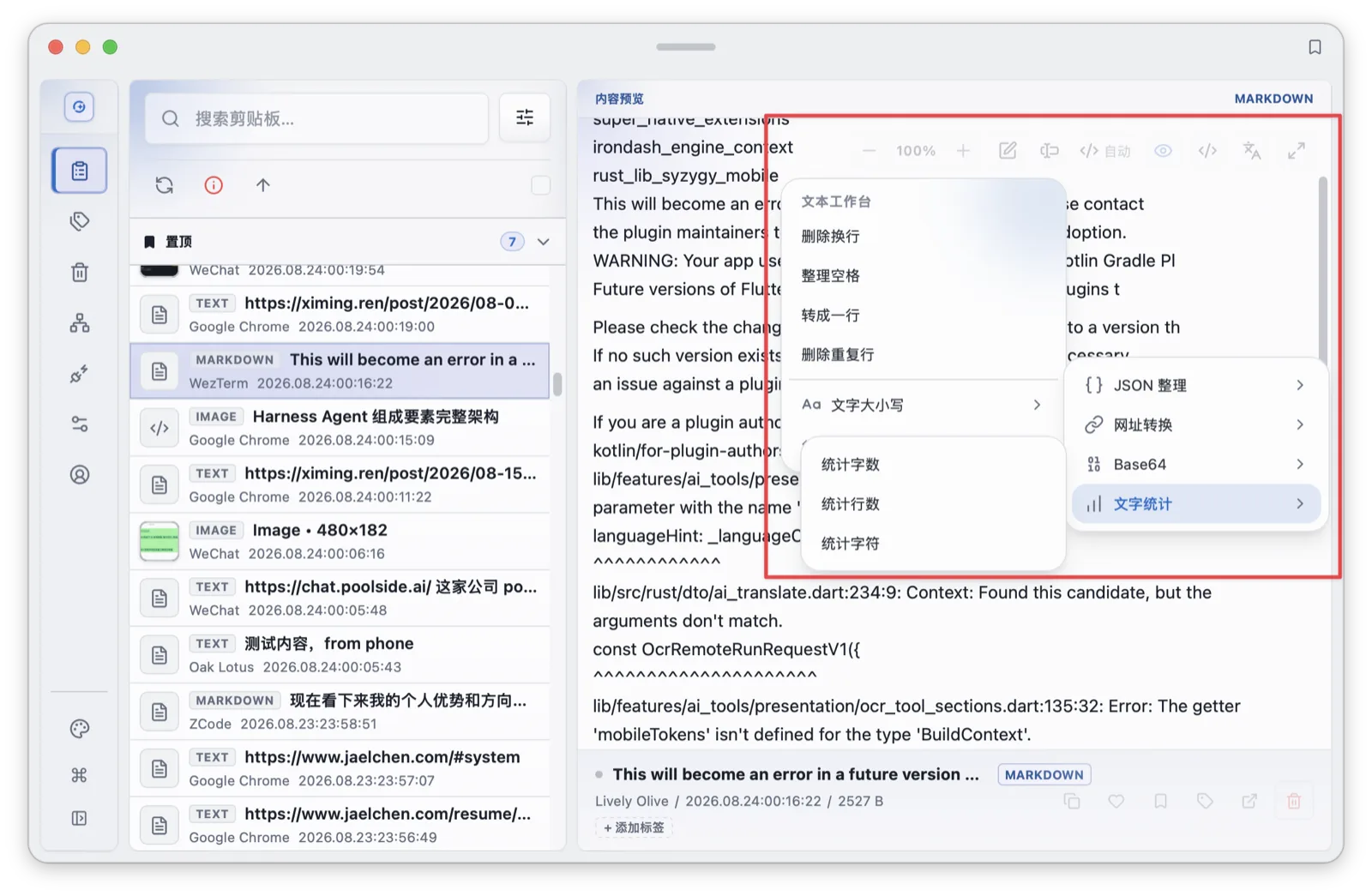
Every link in that path depends on the organization work in front of it: accurate tags shorten the second step; a maintained Pinlist means high-frequency items never enter the path at all. Organization is not a separate tidying ritual: it sets how many steps every recovery takes.
Mask before you tag
Organization has a prerequisite: privacy. Sensitive-content masking ships on by default and covers 12 pattern classes: ID numbers, phone numbers, OTPs, emails, bank card numbers, API keys, activation codes, plus EVM addresses, BTC addresses, EVM private keys, BTC private keys, and seed phrases. Each rule toggles individually. Matched items display masked; a separate "block sensitive sync" option ships off and, when enabled, keeps matching items out of cross-device sync entirely.
Masking and tagging are independent layers: one is fixed system recognition, the other your own organization. For sensitive items, the tag's value shows precisely after masking: you never need the plaintext on screen, because a "accounts" tag tells you what the item is and where it lives. Tagging sensitive items is how "find it by memory" becomes "find it by structure". It also answers the standing objection: clipboard data is intensely private, and organizing it presupposes that sensitive content is recognized and protected first. The data plane follows the device-to-device, no-central-cloud design; the pairing and sync post covers that layer.
Organization decides the reuse rate
The roadmap stacks Syzygy's capabilities in layers: data flow is the first, and organization sits directly above it as the core theme of the Personal Workspace stage. One line in the roadmap is unusually concrete: once data flows, organization decides whether it gets reused. The product's north-star metric is the "useful data reuse rate", with worked numbers: of 1000 resources, 200 get revisited, 80 reach a workspace, 40 get used by AI, 20 produce an actual outcome. The 20 matter, not the 1000.
The clipboard is the highest-frequency entry point for personal data. Tags, pins, and Trash look like small features, but they are the pipe between "copied once" and "used twice". History remembers; organization makes memory callable a second time. The entrance to a personal knowledge base is, very often, a well-kept clipboard history.
Two connections are worth wiring up next: search, because once tags exist, qualifiers filter by them directly (search and OCR); and entry points, because preview, popups, and the command palette complete lookups and pastes without leaving the current window (preview and command palette). For how each content type is previewed and processed, see the content types post; the full shortcut reference, including pinned paste, lives in the keyboard cheatsheet.
Frequently asked questions
How many clipboard items does the free tier of Syzygy keep?
100 items, kept for up to 30 days. Deleted items go to Trash first, where up to 100 items are kept for 7 days before automatic purge. These numbers ship in the default config and can be verified in the clipboard section of Settings.
Is AI auto-tagging enabled by default?
No. AI tagging runs through a bring-your-own-key (BYOK) interface, produces up to 8 tags per item, and consumes a meaningful number of tokens, so manual tagging is the officially recommended default for now.
Can I recover a deleted clipboard item?
Yes. Deletion is two-stage: items land in Trash, stay restorable (individually or in bulk) for 7 days, and are purged automatically afterwards. Permanent delete is available earlier, behind a confirmation dialog.